A blog about technical art, particularly Maya, Python, and Unity. With lots of obscurantist references
We've Moved
The blog has been retired - it's up for legacy reasons, but these days I'm blogging atblog.theodox.com. All of the content from this site has been replicated there, and that's where all of the new content will be posted. The new feed is here . I'm experimenting with crossposting from the live site, but if you want to keep up to date use blog.theodox.com or just theodox.com
Blogging has been super light, thanks to the triple whammy of a milestone, a cold, and my grand plan to migrate this blog over to a static site generator. However I did want to mention that I've been trying to update the minq wiki page so it is more accessible. I'd appreciate any feedback, comments or suggestions to make it clearer. When you write something yourself you just accept as natural the quirks and habits of thought that go with it, so it's handy to have outside eyes when you're writing documentation.
I've added a couple of minor features as well. There's a bunch of operators for counting things -- for example you can get the vertex count of meshes with something like Meshes().get(VertCounts)
. On a somewhat related note all streams have a count()
function which will return the length of the stream, and a first()
method which will pull the head item from a stream -- which is handy if you expect to narrow down to a single item and don't want a single-item iterable.
Last but not least I'd love to hear from the community about good minq hacks -- I'll be happy to add cool ones to the examples file. I'd also appreciate any bugs you find going into the issues page!
We tend to be the kind of people who throw themselves into things – we live for the joy of problem solving. So when we’re really grappling with the intricacies of todays disaster, we immerse ourselves in it. We tear it apart and inspect all the little moving pieces till we understand it well enough to duct-tape it back together again.
Along the way, that attention to detail and mastery of nuance tends to make us think we know it all. But – a shock, I know – we don’t. More to the point, we might now it all for the moment. But we’ll dump that knowledge to make sure we have room for our encyclopedic knowledge of tomorrow’s problem. And next week’s. And next months.
In short, we’re constantly flushing our caches. Unless you’re stuck in a rut, doing the same thing every day, you’re constantly learning new little things for your current problem and silently shelving the knowledge you aquired for your last.
This is one reason why good code comments are so important. Sure, comments rot just like code. But a couple of well-placed notes about how and why the code looks the way it does can save future you a lot of time when many layers of memory recycling have left you completeley oblivious about what the hell past you was up to. I can easily think of a couple of embarrassing occasions where I’ve literally chased my own tail – done something non-obvious because of a wierd maya bug, then come back six month later to ‘clean up’ my ‘ugly code’ and of course hit the exact same bug again.
Of course, good comments don’t have to have high literary quality, they don’t need to cover every variable and for loop, and they certainly don’t need to be overwhelming: what they should be is notes to future-self that will help him or her revive all the fading memories which seem so obvious today but which will be utterly erased before the next season of Silicon Valley is released.
Which brings me, by a very roundabout route, to what I actually set out to talk about: a perfect case in point. I was noodling around with a system that needed to fire events for maya attribute changes: basically, a way to make attributeChanged scriptJobs that were easy to start, stop and restart. So I did a little googling and…
Yep. I’d already written it. I’d even put it up on Github.
In my defense, I realized in retrospect that I had cancelled the project at work that made it necessary the first time: I did the work on the system, got it ready to go, and then decided that there was a simpler way to solve the problem without all those attribute-change scripts anyway. Nonetheless it’s a perfect illustration of how thoroughly one’s short-term memory cache gets flushed – and of the importance of leaving good comments. At least when I found the damn thing the readme that Github makes you put up reminded me how it was supposed to work (as an aside, it’s a great reason for putting your stuff up on GitHub or similar forums: knowing that other people will be looking at it forces you to clean up and document more than you would if you just decided to shelve a project).
So there you have it: an object lesson in the importance of clarity in tools development and a free module for messing around with AttributeChange scriptJobs!
By a certain stroke of cosmic irony, it was just after I finished shoe-horning lame Star Wars jokes into my last post that I started to get obsessed with CodeWars, one of the plethora of competitive coding sites that have sprung up in the last few years.
Mostly I find that sort of thing pretty annoying – it’s a genre that all too easily degenerates into macho brogrammer chest-thumping. 90 percent of the code I see on those sites is so tightly knotted – in hopes of scoring fewest-number-of-lines bragging rights – that it’s useless for learning. I’m impressed as hell by this:
but I never want to have to interact with it (Bonus points if you can tell what it does! Post your answer in the comments....)
The nice thing about Codewars is that the experience tends to push you into thinking about how to solve the problems, rather than how to maximize your score. I particularly like two things: first, the site includes a built-in test framework so you can do The Right Thingtm and write the tests before you write the code – not only is it a helpful touch for would-be problem solvers its very effective ‘propaganda of the deed’ for encouranging people to take tests seriours. Second, the site doesn’t just show you the ‘best’ solutions, it shows you all of them – and it allows you to vote both for solutions you think are clever and ones you think embody “best practices.” That snippet I posted above is extremely clever but not a best practice – I wouldn’t let something like that into my codebase if I could avoid it! I’m not smart enough to unriddle such things, though I’m glad they exist.
The other nice thing is that most of the problems are bite-sized, the sort of thing you can chew on while waiting for a longish perforce sync to complete. It’s a great way to practice you coding chops outside all the gnarly things that come with working in a particular problems set for work. I’ve had a work task which involved me in a lot of 5-minute wait times this week and I found CodeWars to be a nice chance to do keep my brains warm while waiting for Perforce.
So, if you’re looking to sharpen up your coding skills you should definitely check out CodeWars. My username is Theodox and in the goofy ninja-academy language of Codewars we can form an ‘alliance’ by following one another. We can make technical art a power in the land!
On the practical side: codewars supports Python, Javascript, and several other languages – they just added C#. It’s great way to get familiar with new syntaxes and to see how folks who know what they are doing tackle problems natively, it’s a great tool to pick up a new language on your own. Give it a shot!
The beauty of working with code, even really simple code, is that you can build your own little universe out of bits and pieces contributed by thousands of other people – all without paying a dime or even asking them for help. From sharing a script off of CreativeCrash to downloading a huge open-source behemoth like Apache, any reasonably plucky individual can today make stuff that actually involves the work of thousands of anonymous others. It’s really quite a remarkable evolution in human history that so many people voluntarily give away their work for nothing, and (whatever else you can say about the internet era) it’s something to be proud of participatng in.
On the other hand…
Well, Say you are an Amish farmer and all your neighbors showed up to help you raise your barn, you’d certainly be grateful. But you might still be pretty annoyed if Hans from next door hung your barn doors so they stuck in the summer heat. Maybe old Hans worries more about keeping the barn warm than you do, so he prefers a tight seal: but that’s small comfort when you’re heaving on that handle in a muggy Pennsylvania morning.
The internet abounds in excellent – and, amazingly, free – tools to help make your life easier. But they all started life as tools to make somebody else’s life easier. If your needs don’t line up perfectly with the needs of the original author, you’re likely to get a little gereizt.
The fact is that nobody writes all their own stuff: we all use other people’s code all the time (and, as sharing becomes more and more ingrained in coding, that’s only going to increase). All that sharing means that we constantly have to work with libraries and APIs that are useful and free and for which we know we should be grateful… but – like that sticky barn door – they drive us absolutely bonkers.
Wrap up
Not surprisingly, almost everybody ends up writing wrappers: code to help ease those nice-but-imperferct tools and API into a something that feels a little more natural. If you spend a lot of time on TAO or coding forums where people swap tips and advertise their wares you’ll see a huge variety of wrappers for all sorts of tasks: indeed, the wrappers often seem to outnumber the actual functional bits. Whether you call the job making things ‘more pythonic’ or ‘more functional’ or ‘cleaner’, its something we all feel compelled to do (and to share) from time to time.
It’s also easy to get cynical about wrappers. You see so many – and so many of them just taste-driven syntactic variations on each other – that veteran coders often reflexively shrug and ignore them. This is particularly true in Python land, where the malleability of the language encourages a certain degree of experimentation and re-casting. Because you can adapt Python to suit your tastes, the temptation to do so even when it’s not actually getting you much beyond style points is hard to resist.
The net result of all this customization and adaptation is messier than Christmas morning: wrappers everywhere. Whatever simplifications each individual wrapper gives you, the aggregate effect of so many different extra layers is overwhelming. At several times in the last decade I’ve sworn off wrappers and vowed to stick with vanilla python, straight-up maya.cmds and simple, linear code. A good code archaeologist could troll through my history and find several repeated periods of growth and die-offs in the wrapper ecosystem, like fossils trapped in shale. Where's pymel in there?
Wraptors
Wrappers, though, never really die off like the dinosaurs: they, in fact, more persistent as the cockroaches. And there’s a lesson in that.
Consider a classic case of wrapper-iteis: a system for making maya GUI less of a pain. Everybody writes that one at some point in their TA career (I’ve done it 4 times to my certain knowledge, not counting one-offs and half-assed, abandonware). When somebody feels compelled to spruce something up that much it’s a sign.
Sure, most gui wrappers are just a reaction to the clunky, wordy way that Maya expects us to pop up a window or make a button. And sure, most of those wrappers (some of my own, I hasten to add) really aren’t much better: they’re just shortcuts that cut down on the carpal-tunnel of cmds.textField(fieldname, q=True, text=True).
Sure, saving keystrokes is nice, but over the life of a piece of code the time spent typing is a tiny fraction of that spent reading, debugging and refactoring: that you could (and probably should) just bit the bullet on. But so many persistent, repeated efforts to fix a problemare a symptom that something worse than wordiness is the problem. Wrapper-itis really runs rampant when the toolkit that is simply not adequate to the job at hand. If you have to spend a lot of time thinking about the implementation details instead of the problem you really want to solve you’re not just wasting keystrokes: you’re wasting precious thought and time.
So I’ve been trying to soften my anti-wrapper stance. Sometimes it’s better to actually solve a recurring problem instead of papering it over; sometimes it’s worth taking the time to be in a position to write the code you need to write instead of the code you’re forced to write. Sometimes.
Which of course raises the question of how you can identify those situations and distinguish between a real need for better abstractions and a plain old peevish desire to avoid boilerplate.
Wraptitude
The prime way to distinguish between a ‘wrappable’ problem and a purely syntactic one is to consider the needs of the person who’ll be picking through your code after you’be been run over by a bus.
When your replacement comes to look at your code, will they see something that seems to clearly express the problems you were trying to solve? Or just code that clearly expresses your preferences for a particular set of formatting options and code idioms?
Here’s a little bit of code that reads some information from a database in order to add some ‘credits’ to a time account:
defreplenish(user):ifuserisNone:returnFalsewithconnect_db()asdb:repl=db.execute("SELECT replenished FROM users WHERE name LIKE ? AND DATE (replenished) < DATE ('now')",(user,))recent=repl.fetchone()ifrecent:daynum=db.execute("SELECT strftime ('%w', 'now')").fetchone()[0]daynum=int(daynum)repl_amount=db.execute("SELECT sun, mon, tues, weds, thurs, fri, sat FROM replenish WHERE users_name LIKE ?",(user,))refresh=repl_amount.fetchone()[daynum]cap_amount=db.execute("SELECT cap, balance FROM users WHERE name LIKE ?",(user,))cap,balance=cap_amount.fetchone()new_balance=min(cap,refresh+balance)db.execute("UPDATE users SET balance = ? , replenished = DATE('now') WHERE name LIKE ?",(new_balance,user))log(db,user,"replenished with %i credits"%new_balance)
the basic logic is pretty simple. Stripped all the fluff, you merely need to:
connect to the database
ask the database the last time the user was topped off
if the user hasn’t been replenished today, get the amount due
add the amount to the user’s account
That’s just four basic ideas. but it takes more than 20 lines to express them.
Far worse, the key logical linkages of the operation are implied, not stated.For the code to make real sense you need to know or deduce that the users table has a field called replenished which stores the last day when the user was topped off; that the ‘replenish’ table has seven fields containing the top-off numbers, arranged Sunday throguh Saturday; and that the user table stores both the maximum number of credits to store and the current balance of credits. The implementation of our simple, 4-step idea only makes sense with all of that special knowledge. It’s further obscured by time saving shortcuts, like using the actual column index in a database table to check today’s value. That may save a couple of lines but it renders the code even harder to parse. And, of course, there are syntax quirks big and small, particularly relating to the creation and formatting of the SQL.
This code works fine; it’s even fairly economical and readable for what it does (for a given value ‘economical’) But it’s not the kind of thing you’d ever want to inherit; it makes sense to me, because I wrote it and I remember (at least today) what I was thinking about when I did. But some future inheritor (heck, even me a year from now) will have to think long and hard about what really ought to be a simple process. The whole thing is bogged down in implementation details that obscure the intent of what’s going on. Really good code often reads almost like pseudo-code. This does not.
To illustrate what a good wrapper can do, here’s the same code using an ‘object relational mapper‘ called peewee: it’s a wrapper around the SQL backend that map database operations onto classes and allows you to focus on the logic instead of the mechanics:
defreplenish(user):ifuserisNone:returnwithconnect_db().atomic():today=datetime.now()today_name=now.strftime("%A")updatable_user=User.get(name=user,replenished<today)today_update=Replenish.get(name=user,today_name>0)ifupdatable_userandtoday_update:refresh=getattr(today_update,today_name)new_balance=min(updatable_user.cap,refresh+updatable_user.balance)updatable_user.balance=new_balanceLog.create(user=user,message="replenished with %i credits"%new_balance)
That’s a significantly cleaner bit of code to read. It still requires some outside knowledge but the intention is much more clearly expressed and the message isn’t drowned out in quotes and parens. An ‘offscreen’ benefit, given the way peewee is structured, is that backtracking to the User and Replenish classes would tell the rest of the story pretty straightforwardly without a ton of comments. Only a handful of lines are needed to munge data into the right forms, and the code almost reads like the summary.
That’s a good example of how wrappers can help: saving keystrokes is nice but clarifying the real meaning of the code is priceless.
Wrapola
Well, maybe not exactly price-less. All wrapper code comes with a cost: there are new rules to learn and, probably, new bugs to encounter. If the wrapper uses odd conventions, unusual data formats or is simply slower than hand rolled code it may still be a bad bargain. Nonetheless, this example shows wrappers can be more than just a protest against awkward syntax and API’s that don’t match your taste. Ultimately wrappers are a perfect microcosm of what all coding is about: the search for a clearer understanding of the problem you’re trying to solve.
So if you’re thinking about writing a wrapper, ask yourself this: does the code you want to write teach you something about the problem your solving? Or does it just save you a few keystrokes? Typing is a pain, but you’ll spend a lot more tine looking at your code than you ever will typing it. So don’t focus on just counting lines or syntax: focus on whether the wrapper helps you understand the problem better. If the wrapped code reads like a description of your thought process, you’re on the right track. If it’s just getting you back to that TwitchTV stream on your second monitor a few minutes earlier it might not be worth your time.
PS
I used an ORM for my example because it provides such a powerful example of code that’s not bogged down in syntactic complexities. There is, however, a classic internet flame war about ORMs that I’m glossing over, with nerd rage aplenty for friends and foes of ORMs. Background here if you care.
If my last post about Boo piqued your interest, but you haven’t had time to do a deep dive into the language to see for yourself, I’ve posted a version of the Spelchek Python spell checker module converted to Boo so you can see the similarities and differences between the two languages.
The original Python version is here and the Boo port is here. As a good indication of what I’ve been saying about the economy of Boo syntax, the Boo version comes in at almost the same size as the Python original (5.05 kb for Boo and 4.95kb for Python) and pretty much the same number of lines – I haven’t done the excersize of converting it to C# for comparison but I’d guess the C# version would come in at about half again as much typing.
Looking at the code, significant chunks are almost identical: the logic is pretty much the same and the type annotations are the only real difference.
Thus
def add(word as string, pri as int):
    """
    Adds <word> to the dictionary with the specified priority.
    """
    _DICTIONARY[word.ToLower()] = pri
becomes
def add(word, priority=4):
"""
Adds <word> to the dictionary with the specified priority (default is 4)
"""
    _DICTIONARY[word.lower().strip()] = priority
which is pretty much identical.
The tricky bit of the conversion was the routine which generates possible variants of the word - it generates variants of a word by transposition and deletions. In Python:
def first_order_variants(word):
    """
    return the obvious spelling variants of <word> with missing words, transpositions, or misplaced characters
    """
    splits = [(word[:i], word[i:]) for i in range(len(word) + 1)]
    deletes = [a + b[1:] for a, b in splits if b]
    transposes = [a + b[1] + b[0] + b[2:] for a, b in splits if len(b) > 1]
    replaces = [a + c + b[1:] for a, b in splits for c in _ALPHABET if b]
    inserts = [a + c + b for a, b in splits for c in _ALPHABET]
    return set(deletes + transposes + replaces + inserts)
As you can see the first list comprehension, splits, generates a lists of pairs representing places where the word could be broken up, so that ‘cat’ produces [("c","at"), ("ca", "t")]. The other comprehensions use that list to try inserting, deleting or transposing letters to guess what the user might have really been typing.
In Boo, the tricky bit was getting the compiler to recognize that the splits list contained a pair of strings and that all the lists produced by it would also be lists of strings. Porting the python code directly wouldn’t work because Boo would see splits as a list of type object instead of deducing that it was a set of string pairs.
Here’s the Boo version, which as you can see is recognizably the same but is clunkier than the Python, due to the need for typing,
To clean it up I added two ‘aliases’ up at the top, since the Boo syntax for declaring typed containers is hard to read (‘List[of string]’): so _stringList is a shortcut for ‘list of string arrays’ and _strings is a shortcut for ‘list of strings’.
The variable pair contains a lambda (ie, an inline function) using Boo’s idiosyncratic syntax: you could mentally rewrite it as
def pair(w as string, i as int) of (string):
    return (w[:i], w(i:))
or in other words “give me a string and an integer, I’ll return a pair of strings split at the index you gave me.”
With those helpers in place the logic is identical, but it is harder to follow because of all the type-mongering. I’m pretty sure there are more elegant ways to do this withgout being so wordy, but I’m not an expert.
So…
The point of the experiment was to see how hard the Python > Boo translation would be. This is an application where types actually matter a good deal, since all my values are strings and I need to be able to do string operations like joins on them – if all I was doing as asking questions of them things would have been more Pythonic (though probably slower as well: one of the reasons we need those types is to get the compiler to help us speed the code up).
While this is hardly a demanding application, it is at least a proof-of-concept for the idea of prototyping in Python and then selectively porting to Boo isn’t completely nuts.
Evidently somebody’s scared: the Boo language, which has been a part of Unity for several years, is going to be removed from the Unity documentation in favor of C#.
The reason is pretty simple, as this graph explains:
For a lot of Unity developers (99.56% of them, apparently) this is non-news; Boo never really garnered much of a following in the Unity community. For new developers and recent grads, C# is an easy and very well documented option; for former web debs moving to mobile apps, UnityScript feels JavaScript-y enough to ease into a new environment. Boo, on the other hand, never got much traction: it’s got a small but passionate community but it never garnered enough momentum to break out of its niche.
Boo Hoo
Now, I’m kind of a sucker for hopeless causes, so almost inevitably this news inclined me to revisit Boo, which I’ve toyed with a few times but never really tried to learn. I had to write a lot of C# for Moonrise and it made me long for the clarity and concision of Python. Even though C# is a perfectly capable language with lots of modern features (closures, firest class functions, etc) it’s still very chatty. The tantalizing promise of Boo – not completely fulfilled, but pretty close, is that it combines both: the performance, runtime type safety, and intimate access to Unity that C# offers in a language not deformed by punctuation and rendered ridiculous by overly wordy syntax.
using UnityEngine;
using System;

public class JumpingMovementController(MonoBehaviour)
{

    const static string _HORIZ = "Horizontal";
    const static string _VERT = "Vertical";
    const static string _JUMP = "Jump";
    var _Momentum = 0.0f;
    var _Gravity = 2.0f;
    public var _Speed = 1.0f;
    public var _JumpSpeed = 1.5f;


    void Update()
    {
        var frame_speed = _Speed * Time.deltaTime

        if (transform.position.y == 0)
        {
            _Momentum += Input.GetAxis(_JUMP) * _JumpSpeed;
        }

        var up =  _Momentum * Time.deltaTime;
        var left_right = Input.GetAxis(_HORIZ) * frame_speed;
        var forward_back = Input.GetAxis(_VERT) * frame_speed;
        transform.Translate(new (Vector3(left_right, up, forward_back)), Space.Self);
    }

    void LateUpdate()
    {
        if (transform.position.y > 0)
        {
            _Momentum -= _Gravity * Time.deltaTime;
        }
        else
        {
            _Momentum = 0;
            vp = new Vector3(transform.position.x, 0, transform.position.z);
            transform.position = vp;
        }
    }
}
I just can’t shake the feeling that the first code is something I don’t mind reading and writing while the latter is a chore. It’s also a whopping 45% more typing for the same result. And that delta only gets bigger if you want to try something a little more complicated: Boo supports offers the same list comprehension syntax as Python, so you can write:
addresses = [(x,y) for x in range(3) for y in range(3)]
where in C# you’d either get 6 lines of for-loops and nested brackets, or you’d have to use Linq. Even in the most compact form I can manage it’s still much wordier:
        var xs = Enumerable.Range(0, 3).ToList();
        var ys = Enumerable.Range(0, 3).ToList();
        var addresses = (from x in xs
                         from y in ys
                         select new Tuple<int,int>(x, y)).ToList();
to get to the same place.
Why Boother?
A hardcore programmer might object that this is “all just syntax”. That’s true – but since my everyday experience of working with a language is about 90% syntax I don’t feel like it’s fair to dismiss that concern as if it were irrelevant. That said, it can’t be denied that modern C# 4 includes many language constructs that earlier versions of the language lacked: things like var inferred variables, lambdas, closures, and named default arguments. These things all help make the code less chatty and more legilble: If you’re a good C# programmer you can write very terse, expressive code that’s not absurdly wordy.
Apart from those stupid curly brackets.
On the other hand, the “culture” of the language was set in place before those kinds of features were added. The C# ethos definitely prefers the verbose to the understated, the extremely explicit to the implied.This isn’t a terrible decision – like Java, it’s a language designed to be used by huge teams of enterprise programmers working on titanic projects where only a few people see the whole project scope and most coders are locked away in cubicles on the 18th floor working on isolated modules to be used by other coders they will never meet.That’s why C#’s obssession with visibility management and highly-specified behavior makes sense.C# is a language that’s all about apportioning blame: it forces everything to be very explicit so you know which of the 6000 drones working on your enterprise app to bleame when things go wrong.
In the context of a small game or a solo project, though, the Pythonic ethic of “we’re all adults here” seems more natural and productive.Besides, for hobby projects and one offs fun is a totally legitimate concern: making minigames is something that gets crammed into nooks and crannies left over by work, kids and keeping the house from falling down around my ears.So fun is a totally legit criterion for selecting a language.
And Boo is definitely more fun than C#.
Boo Who?
Like many Pythoneers, I’ve always nursed a secret hunger for the magical button that would take all my tight, laconic Python code and magically make it perform like a “real” language. Boo is not the magic button, but it’s a pretty good preview of what that might look like. As you can see from the code samples above, it looks and feels a lot like Python but under the hood is has similar performance and compile-time constraints to C#: in other words, Boo code can run as much as 20X faster than Python.
That’s what makes Boo so tantalizing. It is almost Python, but you can write Unity games, Winforms apps, or even cross-platform DLLS with it. Plus, since Boo runs on the same dotnet CLR as C#, it runs on any platform with the DotNet framework or Mono installed, so a compiled Boo program can run on Windows, Macs, or Linux boxes. There’s even an interactice shell so you can do one-offs and experiment, just like Python. But – unlike Python – you get the performance gains that come from a compiled, statically typed language.
Typing and the compiler are the key difference between Boo and Python. The a compiler makes sure that all of your variables, return values and method signatures line up and uses that knowledge to optimize the final runtime code for you. You can do this in Python:
fred = 1
fred = fred +  1
print fred
# 2
fred = "fred"
fred = fred + " flintstone"
print fred
# fred flintstone
In Boo, however, you’ll get an error when you try to change fred from an integer value to a string:
fred = 1
fred = fred +1
fred = "fred"
#------^
#ERROR: Cannot convert `string` to `int`
In old-school C#, this was made obvious that all variables and to declare a type:
int fred = 1;
In more modern C# you can use the var keyword to make the compiler guess what type you want based on the initial input: when you give it
var fred = 1;
it sees that fred has an integer in it, and treats fred as an integer from then on. If you assign the variable with the result of a method call or another variable, C# uses the expected type of that return value to set the variable type. Boo does more or less the same thing: it uses the assignment value to guess the type of a variable. You can specify it explicitly if you prefer by using the as keyword:
barney as string
barney = "barney"   #OK
The same syntax is used to specify inputs in methods and returns:
def bedrock (name as string) as string:
    return name + "rock"

def inferred_return_type(name as string):
    return name + "inferred"
    # if the compiler can guess the output type
    # you don't need to 'as' it
Once you get out of the habit of re-using variables with different types, this is usually not too bad: 95% of the time the inference “just works” and you can write code that focuses on logic and good design instead of worrying about the types. The other 5% of the time, however, is often very frustrating. It’s particularly tough when Boo’s Python-like, but not exactly Python behavior trips you up. Consider this little puzzle:
def sum (values as (int)) # expect an integer tuple
    result = 0
    for v in values:
        result += v
    return v

# works as expected for this case:
example = (1,2,3)
sum(example)
# 6
However it can be broken if your input list isn’t all of the same type:
example2 = (1,2,3,"X")
sum(example2)
# ERROR: the best overload to the method sum((int)) is not compatible with the argument list '((object))'
That’s not entirely shocking: the compiler saw a mixed list in example2 and return and array of type object (as in C#, object is the base class of all types). So it is right to reject that as an argument for an int-specific function. Here’s where it gets odd:
#reassign
example2 = (1,2,3,4)
sum (example2)
# 10
This time the compiler “helpfully” casts that array to an array of ints because it can. This is not a crazy behavior, but it’s definitely going to raise some issues where test code works fine but production code contans bad values. The only way to be sure that things are what they seem is to force them into the right types at declaration time:
example3 as (int) == (1,2,3,4,5)
sum(example3)
# 15

example3 = (1,2,3,"one hundred")
#----------^
# ERROR: Cannot convert `(object)` to `(int)`
This example highlights both the usefulness and the limitations of type inference: If you want a statically typed language (and all the compiler tricks that make it speedier than Python) you do have to think about how to manage your types. There’s no way around it. If you’ve got enough C# experience, you can look at Boo as a neat way of writing speedy, statically typed code with less typing and more syntactic freedom - but if you’re looking at it from the standpoint of loosey-goosey Pythonista it can seem like a lot of hurdles to jump.
My (unscientific) impression is that a lot of people from the Python world come over to Boo and the familiar look of the code gives them a false sense of security. It’s easy to write simple bits of code until the subtleties of type management bite you in the behind, and then to give up in frustration when things seem to get cluttered and uptight.
It is, however, part of the territory: lots of other tools for speeding up Python such as Cython expect the same kind of attention to variable types: here’s a sample from Cython
def f(double x):
    return x**2-x

def integrate_f(double a, double b, int N):
    cdef int i
    cdef double s, dx
    s = 0
    dx = (b-a)/N
    for i in range(N):
        s += f(a+i*dx)
    return s * dx
which is just as finicky as C# or Boo.
For me, at any rate, spending more than a year doing C# as a regular part of work made fiddling around with Boo much easier and more productive. The type management hassles strike me as inevitable, or even natural, after a year of typing verbose C# variable types. On the other hand the cleanliness of the layout, the lack of extraneous punctuation, and the clealiness of list comprehensions and Python style loops never gets old.
While there are plenty of minor gotchas, and a few important high-level rules that can’t be forgotten, Boo development flows in with an almost Pythonic fluency. If you put in the time to figure out the type inference behavior and add the annotations, you can get code thats almost as flexible as Python and almost as performant as C# – which, for my kind of pet projects is a great compromise.
Boo-ty is in the eye of the beholder
TL;DR: I’ve gotten pretty fond of Boo. Above all, it serves me well for noodling around in Unity where the API is mostly identical but the logic is cleaner, shorter and easier to read than the same code in C#. Translating the docs is rarely more than trivial, and the very narrow scope of a typical Unity code chunk keeps me from any of Boo’s rough edges.
Another hurdle for many Pythonistas, though one which does not matter in the the context of Unity games, is the lack of the Python standard library. About 70% of what you can do with the ‘batteries included’ in Python can, however, be replicated using the dotnet Base Class Library if you’re running Boo on a Windows box (on Linux or OSX the percentage is lower: Mono has its own base class library but it’s not a complete replica of the one from Microsoft). For many tools tasks and projects, this is more than enough: you’ll be able to read and write XML, to decrypt JSON, to talk to an http server and so on although the function names and APIs will vary. I have to admit I prefer the Python toolkit to the dotnet one, which reflects the same bureaucratic mindset that I dislike in C#’s design, but it’s still a big, robust set of tools. You can also use anything that’s available as a dotnet DLL. Almost anything advertised as a usable with C# will work with Boo.
All That said, I’d definitely think twice before basing a commercial Unity project or a critical pipeline component on Boo. There does seem to be a small but measurable perfromance penalty compared to C# (the performance is, however, pretty much on par with that of UnityScript). More importantly, the Boo’s biggest weakness is documentation: with a small community and (from now on) no docs on the Unity site, finding your way around in the language at first is pretty awkward. The documentation is a sporadic, volunteer effort with some glaring holes – it doesn’t help that Google still sends you to the moribund Boo site on codehaus instead of the current docs, which are in a Github Wiki. The language is officially at version 0.9.4.9 and hasn’t incremented in a long time: it’s still getting commits from the original author and few other devs but it’s a much smaller project than, say, IronPython. In short, it’s a cool language that has not found it’s audience yet, and unless it does it will remain a niche player.
Still, it’s pretty cool too. If, after those caveats, it still sounds interesting, you’ll be relieved to know that Boo is not really ‘going away’: For the forseeable future, the language will still work in Unity, Boo, like C# and UnityScript, runs on Mono, much as Java runs on the JVM. Unity doesn’t distinguish between the source of Mono assemblies: you can still use Boo, and even more exotic dotnet languages such as F# (though not, alas, IronPython!) in Unity today. The only practical result of Unity’s decision to sunset Boo support is the disappearance of the Boo documentation from the Unity website – which , to be honest was rarely adequate – and the lack of a ‘create Boo script’ menu item. Dropping a boo script into your assets folder, however still creates runnable code, and it should continue to do so for the forseeable future.
There’s some question about how Unity’s new cross-platform compiler technology, IL2CPP will handle Boo. In principle, since it compiles the byte code produced by Mono rather than the original source, it too should work with any CLR language, be it Boo or F# or what have you. I’ve been able to compile Boo code to Unity WebGL games, which use IL2CPP, without obvious problems although I haven’t done anything like a scientific test. It’s not beyond belief that bugs which occur only in non-C#, non-UnityScript IL code may go unfixed. And, of course, it’s impossible to say what will happen after Unity 5 – technology, particularly in games, moves too fast for confident future predictions. However, It seems pretty clear Boo will be working in Unity for a while to come even though it is being demoted from “officially supported” status to the same kind of l33t hacker underworld as functional languages.
Boo-Curious?
If you’ve got Unity installed already, you’ve already got everything you need to play with Boo. Just create a text file with a “.boo” extension inside a Unity project and you can write Unity components in Boo. If you don’t have Unity, You can also download Mono directly, which installs MonoDevelop and Boo automatically.
If you’re not fond of MonoDevelop – an editor for which I have… mixed… feelings – You can write Boo using Sublime Text, which has a Boo syntax higlighting package and can run Boo compiles for you.
If you’re curious but don’t want to take the plunge, you can see the language for yourself and play with it online, using this interactive repl
The documentation – which (be warned!) is incomplete and not always up to date – is in the Boo Project GitHub wiki. There’s an older site at boo.codehaus.org which is tends to show up on the Google results but has mostly been ported to the github. In cases of conflicting information, the GitGub wiki is likelier to be right. There’s also a Google Group and a small pool of questions on StackOverflow
If you’re a hardcore type, you can also download and rebuild the source for the entire Boo language yourself from GitHub. Lastly, you might want to check out BooJS, a project which aims to compile Boo into JavaScript.
Computer books are a very hit-or-miss affair. I go through them like comic books but – like comic books – they rarely have much of an impact on me: I read along, nod, and ten minutes after I close the covers I’ve either compressed the whole thing into a crunched-down, dried-up mental summary or filed it away as something to look at for a very specific kind of reference.
It’s hard for a technical book to really engage a reader. Clarity, clean exposition and simply not peddling misinformation by accident or oversight are hard enough and many tech books fail to even hit those mares. Engaging style and memorable insights are even tougher to conjure up.
My personal favorite in this regard is The Art Of Readable Code by Dustin Boswell and Trevor Foucher. Unlike most tech books it’s not about technology, it’s about you. By which I mean it’s about how to approach programming problems with a pragmatic, long term view that’s about making your life more productive and less stressful in the long run by adopting smart practices. It’s not about whiz-bang tech - in fact, the book hops around between languages and problem sets and doesn’t really teach anything about programming per se; rather, it’s about writing: about making your code clear, expressive and humane. Programmer machismo often encourages us to write super-efficient alien artifacts which can be extremely impressive but which nobody wants to touch for fear of getting the Space Odyssey treatment. I’ve started forcing this book on all my new people: it’s better than a style guide because it teaches you things to think about, rather than giving you a list of things to memorize and follow.
(hat tip to @Pat Corwin, by the way, who turned me on to this one)
What got me thinking about tech books just now is the fact that I’ve recently found one that’s almost but not quite in that elite class of game changers. Effective Python, by Brett Slatkin, is more technical and a bit less fluent than The Art Of Readable Code. Still, it caught my eye because it seems like a great mile-marker on the road from “pretty good python user” to “real Pythonista.”
Effective Python does a great job of explaining and illustrating several features of the language which can be overlooked by folks coming from a scripting background rather than computer science. Many of the habits which separate the Python zen masters from the mere acolytes are explained neatly and clearly: the mysteries of the yield keyword, the evils of the mutable default argument, and the unfathomable allure of metaclasses are all dealt with clearly and in ways that don’t make you feel like a chump. Even better, the information is presented with a usable, practical slant: it’s neither an abstract set of rules to memorize nor a comp-sci nerdout about language features. Instead the book presents enough information for you to make good strategic choices: Perennial python puyzzlers like “list comprehension or loop?”, “Is it okay to use Try…except…else?” and “When to use propertites vs descriptors vs plain old fields” are all addressed in a reasonable, non-dogmatic way.
So, I’ll definitely be adding that one to the new-hire reading list in the future. Recommended!
PS if you haven’t checked out the Tech Art Bookstore in a while, I’ve added a bunch of new items over the last few months
Lately I was working in one of those relatively rare TA tasks where performance really mattered. I had to do a lot of geometry processing and the whole thing was as slow as molasses, despite all my best guesses about clever little tricks to speed things up.
To break the logjam, I resorted to actual profiling, something I tend to avoid except in emergencies.
Now, you might wonder why I say I avoid profiling. If you skip ahead and see the trick I used here, and all the fiddly little bits of detailed performance data it provides, you may be particularly curious why anybody would want to pass up on all this cool, authoritative data. The reason, however, is really simple: Good profiling is so powerful that it can be overly seductive. Once you can see right down to the millisecond how tiny tweaks affect your code, the temptation to start re-working everything to shave a little bit off here and there is hard to escape.
If you’re working on a game engine, constant reference to the profiler might make sense. In regular TA work, however, milliseconds rarely matter: all that counts is the user’s perception of responsiveness. Your users will care about the difference between a .1 second tool and a 1 second tool, or that between a 1 second tool and a 10 second tool. They are unlikely to care about – or even notice – the difference between a 1.3 second tool and a 1.1 second tool. The time you spend grinding out those extra fractions of a second may just not be worth it. As Donald Knuth, one of the great-grandaddies of all programming put it:
We should forget about small efficiencies, say about 97% of the time: premature optimization is the root of all evil.
So a word of warning before we proceed. Optimize late, only after you’ve got the problem solved and after you’ve got what seems like solid, working code that’s just too slow. Stay focused on clarity, reliability and ease of maintenance first; only reach for the profiler in code where the perf has really become an issue.
Cheap-ass profiling
Python includes some excellent native profiling tools. The easiest one to use (and the one that’s most handy for people working in Maya) is the cProfile module. It allows you to extract very detailed timing and call-count information from a run of a function.
Here’s a basic example of profile in action. We’ll start of with a couple of simple functions.
The first line in the report prints out the total time, in this case a shade over 2 seconds. Each line in the report that follows lists the following information for a single function call (including nested calls)
ncalls
The number of times a given function was called during this run. If the function is recursive, this number may show up as two numbers separated by a a slash, where the first is the true number of total calls and second the number of direct, non-recursive calls. As you can see here do() itself was called only once, but the sub-functions some_math() and slow() were each called 200 times; time.sleep() was called 200 times as well since it was called by every iteration of slow()
tottime
the total amount of time spent executing this function for the entire run. As you can see the call to time.sleep occupies the bulk of the time in this run. Not that this is the time it takes to process the function – not the real-world time it takes to run! So our do() function in the first line shows a tottime of .002 seconds even though it clearly took more than two seconds to run.
percall
The average time spent executing the function on this line, if it was executed multiple times. Like tottime, this measures processor time only and does not include things like network delays or (as in this case) thread sleeps.
cumtime
this is the real world time needed to complete the call, or more precisely the total real world time spent on all of the calls (as you can see, it’s the sleep call and do() which each take up about two seconds)
percall
the second percall column is the amount of average amount of real-world time spent executing the function on this line.
filename
this identifies the function and if possible the origin of the file where the function came from. Functions that originate in C or other extension modules will show up in curly braces.
As you can see this is incredibly powerful right out of the box: it lets you see the relative importance of different functions to your overall perfomance and it effortlessly includes useful back-tracking information so you can find the offenders.
Record Keeping
If you want to keep a longer term record, you can dump the results of cProfile.run() to disk. In this form:
cProfile.run('do()',"C:/do_stats.prf")
You’ll get a dump of the performance data to disk instead of an on-screen printout. A minor irritant is the fact that the dumped stats are not the plain-text version of what you see when running the stats interactively: they are the pickled version of a Stats object: just opened in a text editor they are gibberish.
To read them you need to import the pstats module and create a new Stats from the saved file. It’s easy:
Calling the print_stats method of your new Stats object will print out the familiar report. You can also use the sort_stats method on the object to reorganize the results (by call count, say, or cumulative time).
I’ve already said that this kind of information can tempt you to cruise past to point of diminishing returns right on to squeezing-blood-from-a-stone-land. That said it’s also worth noting that there is also bit of the Heisenberg uncertainty principle at work here: profiling slightly changes the performance characteristics of your code Game engine programmers or people who do embedded systems for guided missiles will care about that: you probably don’t need to.
In any case, approaching this kind of profiling with the wrong mindset will drive you crazy as you chase micro-second scale will-o-the-wisps. The numbers give a good general insight into the way your code is working, but don’t accord them any larger importance just because they seem seem so official and computer-y. They are guidelines, not gospel.
Using the data
When you actually do start optimizing, what do you want to do with all those swanky numbers? The art of optimizing code is waaaay too deep to cover in a few paragraphs but there are a couple of rules of thumb that are handy to think about while learning how to read the profile results:
Call Counts Count
The first thing to look at is not the times: it’s the call counts.
If they seem wildly out of line, you may have inadvertently done something like call a more than you intended. If you have a script that does something to 500-vertex object but a particular vertex-oriented function shows up 2000 or 4000 times, that may mean you’re approaching the data in an inefficient way. If it becomes something huge – like 250,000 calls – it sounds like you’re doing an “all against all” or “n-squared” check: an algorithm that has to consider not just every vert, but every vertex-to-vertex relationship. These are generally something to avoid where possible, and the call count totals are a good way to spot cases where you’ve let one slip in by accident.
The evils of ‘n-squared’ and so on are illustrated nicely here. You might also want to check out Python Algorithms if you’re really getting in to waters where this kind of thing matters!
Look for fat loops
The second thing too look at is the balance of times and call counts. The most performant code is a mix of infrequent big calls and high-frequency cheap ones. If your stats show a high call count and a high cumtime on the same line, that’s a big red flag saying “investigate me!” As you can see in the report above, the real villains (slow() and in turn time.sleep()) are easily spotted by the combination of high call counts and high cumtime numbers.
Use builtins where possible
Next, you want to check the balance between your own code and built-ins or Maya API code, as indicated by the curly brackets around the function names in the last column. In general, API or built-in calls are going to be faster than anything you write yourself: doing things like a deriving the distance between two 3-D points will usually run about 8x faster in the API than it would in pure python. So, you’d like to see lots of those kinds of calls, particularly inside loops with high call counts.
High cumtimes
Only after you’ve sorted through the high call counts, and high call/cumtime combinations, and aggressive use of builtins do you want to start looking at high cumtimes on their own. Of course, you won’t have a good idea when those high times are justified if you don’t know how the code actually works, which is why you want to do your optimizing passes on code that is already legible and well organized.
Wrap
Naturally, these few notes just scratch the surface of how you optimize – this post is really about profiling rather than optimizing. I’m sure we’ll hit that topinc some other day. In the meantime, it’s worth spending some time mastering the slightly retro, programmer-esque interface of the cProfile module. Doug Hellman’s Python Module Of the Week article on profiling is a good if you want to get beyond the basic report i’m using here. There’s also a nice lightweight intro at Mouse vs Python. The docs could be more friendly but they are authoritative.
In the meantime, readers of a certain age will certainly remember who really had the right profile
OK, I admit this one is pretty much useless. But it’s still kind of cool :) Just the other day I discussed setting up ConEmu for use as a direct maya terminal. This is fun, but once you’ve got the console virus the next thing that happens is you start getting obsessed with stupid terminal formatting tricks. It’s almost as if going text modes sends you past the furthest apogee of spartan simplicity and starts you orbiting inevitably back towards GUI bells and whistles.
At least, I know that about 15 minutes after I posted that last one, I was trying to figure out how to get colored text into my maya terminal window.
It turns out it’s pretty easy. ConEmu supports ANSI escape codes, those crazy 1970’s throwbacks that all the VIM kiddies use on their linux machines to make ugly termina color schemes:
all this beauty... in your hands!
This means any string that gets printed to ConEmu’s screen, if it contains color codes, will be in color! You can change background colors, foreground colors, even add bold, dim or (God help us) blinking text to your printouts.
Here’s a quick way to test this out:
Start up a maya command shell in ConEmu (instructions here if you missed them last time).
In your maya session, try this:
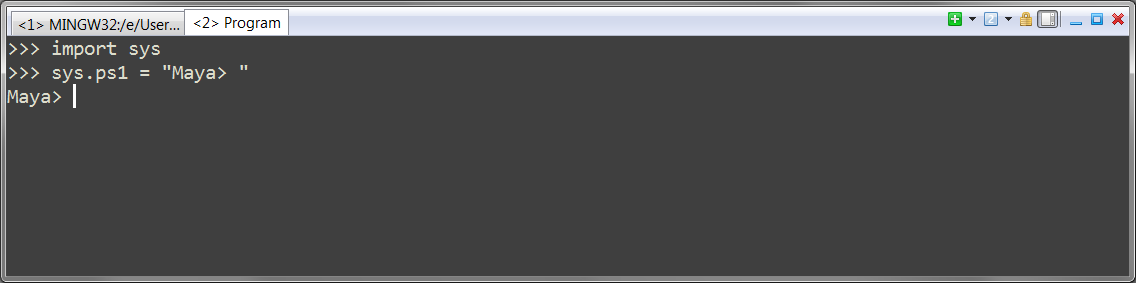
importsyssys.ps1="Maya> "
This swaps in the custom prompt Maya> for the generic >>>.
Now, let’s try to make it a bit cooler: try setting sys.sp1 to this:
sys.ps1="\033[38;5;2mMaya>\033[0m "
Whoa!
Here’s what the gobbledygook means: \033is the ascii code for ‘escape’, which terminals use to indicate a non-printable character. The square bracket - number - m sequences are displayc ommands which will affect the output. In this case we said “set the text mode to color index 2’ (probably green on your system), type out ‘Maya> ‘, then revert to the default color”.
Here’s a few of the formatting codes that ConEmu supports:
\033[0m resets all escapes and reverts to plain text.
\033[1m and \033[2m start or end bold text
\033[4m turns on ‘inverse’ mode, with foreground and background colors reversed
\033[2J clears the terminal screen and sets the prompt and cursor back to the top. You probably don’t want to use this as your prompt, since it clears the screen after every key press! However it can be useful for paging through long results, Unix-more style.
033[38;5;<index>m sets the text color to the color <index>. Colors are defined in the ConEmu settings dialog (Features > Colors). There are 16 color; here you identify them by index number (Color #0 is the default background, color #15 is the default foreground) This allows you to swap schemes – several well known codiing color schemes such as Zeburn and Solarized are included in ConEmu.
033[48;5;<index>msets the background color to the color <index>. The background colors are a bit hard to spot: if you check the colors dialog you’ll see a few items have two numbers next to them (such as ‘1/4’ or ‘3/5’). The second number is the background index. Yes, it’s wierd – it was the 70’s. What do you expect?
\033[39m resets any color settings.
These codes work sort of like HTML tags; if you “open” one and don’t “close” it you’ll find it stays on, so while you’re experimenting you’ll probably experience a few odd color moments.
But still… how cool is that? Now if we could only get it to syntax highlight… or recognize maya objects in return values… hmm. Things to think about :)
The Full list of escape codes supported by ConEmu is here